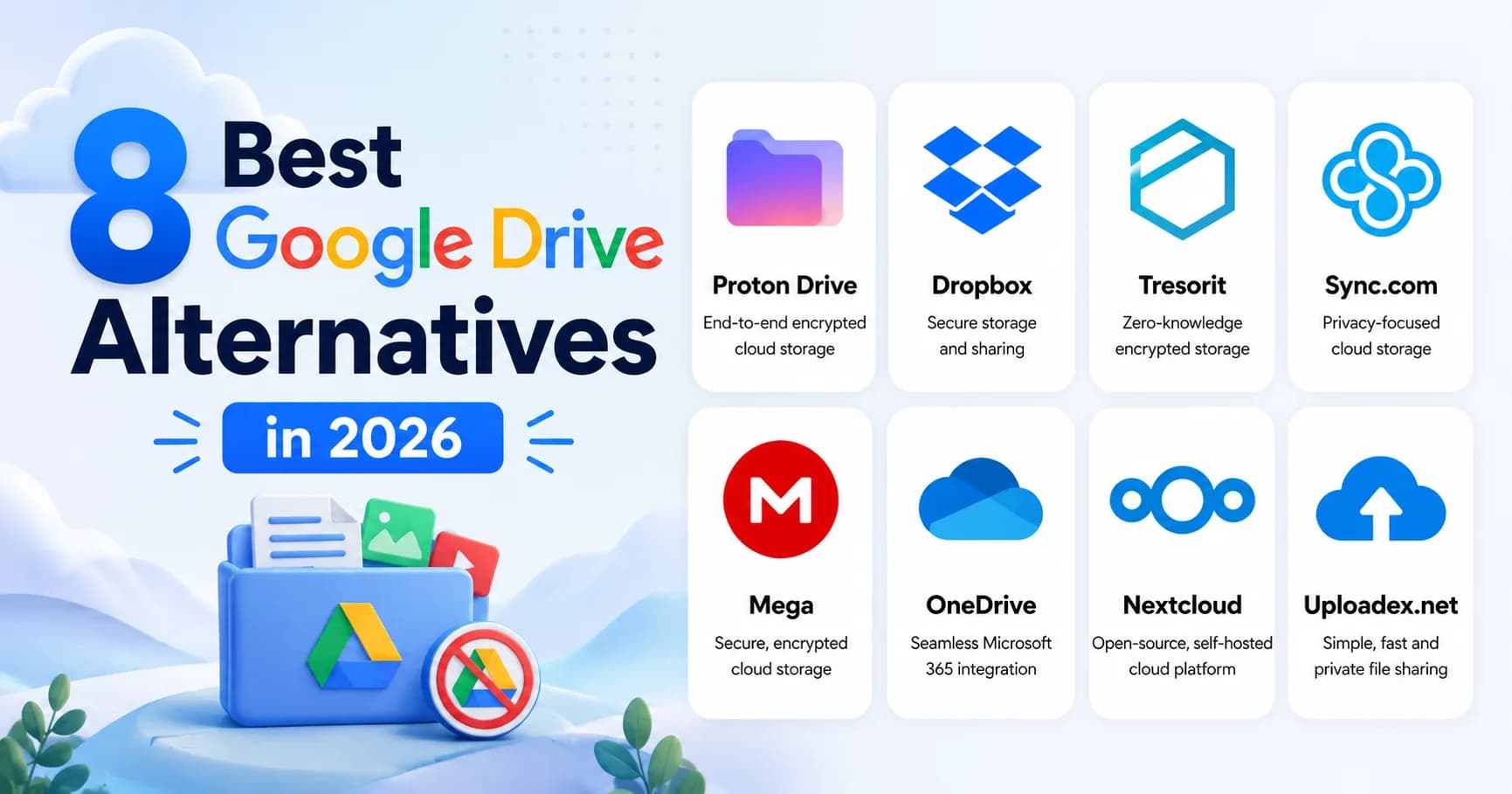
8 Best Google Drive Alternatives in 2026 (Tested for Privacy, Storage, and Sharing)
I tested 8 Google Drive alternatives in 2026 — Proton Drive, Tresorit, Sync.com, Mega, OneDrive, Dropbox, Nextcloud, and Uploadex. Most fail at the same things: weak privacy policies, confusing storage limits, or share links that are technically insecure. Here's what I actually found, and which one I'd recommend by use case.

Surya Prakash
Author
12 min read210
TL;DR: I tested 8 Google Drive alternatives in May 2026 across the four use cases people actually use Drive for: personal storage, collaboration, sensitive file sharing, and large-file transfers. Short answer: Proton Drive for privacy-first personal use, Dropbox for collaboration with non-Google teams, Tresorit for regulated business, Sync.com for the best zero-knowledge value, Mega for the biggest free tier (20 GB), OneDrive if you're already in Microsoft 365, Nextcloud for self-hosting, and Uploadex when the actual job is transferring files rather than storing them. The rest of this guide is the long answer with pricing, encryption details, and the trade-offs nobody mentions.
I have used Google Drive since 2013. For collaborative documents in a Workspace team, it's still hard to beat — Docs, Sheets, and real-time co-editing genuinely changed how teams work together. But for storage, file sharing, and any data I'd rather Google not have keys to, Drive stopped being my default years ago.
If you're searching for a Google Drive alternative in May 2026, you're probably in one of four buckets:
- You want more storage without paying Google One — the 15 GB free quota disappears quickly
- You want privacy / zero-knowledge encryption — Google holds the keys to your Drive files
- You want to escape the Google ecosystem — maybe for vendor diversification, EU residency, or because Drive permissioning is exhausting
- You want better file sharing — Drive's "request access" loop is a tax on every external collaboration
This guide is for all four. I'll walk through 8 alternatives I've actually used in 2026, ranked by use case, with honest notes on where each one wins and where it doesn't.
Why People Switch Away From Google Drive
Before the alternatives, the context matters. Three reasons I see again and again:
1. Encryption posture. Google Drive uses AES-256 at rest, but Google holds the keys — so Google can technically read your files, and is legally compelled to in response to valid law-enforcement requests. For most personal use that's fine. For sensitive data — contracts, medical records, regulated work — it's the wrong fit. See my encrypted cloud storage explainer for the full at-rest vs end-to-end breakdown.
2. Sharing friction. Sending a Drive file to someone outside your Workspace domain almost always triggers the "request access" loop — your recipient clicks the link, sees "you need access," requests it, you get an email, you grant access, they get an email, they click again. Multiply that by a non-technical client and it gets old fast.
3. Pricing creep. Google One pricing in 2026: $1.99/mo for 100 GB, $2.99/mo for 200 GB, $9.99/mo for 2 TB, $19.99/mo for 5 TB. Fine for general use, but Proton, Sync.com, and Mega all give you more zero-knowledge storage for the same money.
The 8 Best Google Drive Alternatives in 2026 (Tested)
I'll be honest about where each one wins and where it doesn't. There is no single "best" Google Drive alternative — there's a best for your specific use case.

1. Proton Drive — best for privacy-first personal use
Free tier: 5 GB. Paid: Drive Plus $4.99/mo for 200 GB. Bundles with Proton Mail and VPN. Encryption: end-to-end / zero-knowledge. Why I use it: Proton Drive uses end-to-end encryption — files are encrypted on your device before upload, and the encryption keys never leave your machine. Proton themselves cannot read your files. The web client is genuinely usable, mobile apps are stable, and the bundle pricing with Proton Mail / VPN is fair.
Where it doesn't win: collaborative editing is much weaker than Google Docs (Proton Docs is improving but not at parity). Search across file contents doesn't work — zero-knowledge encryption forbids it by design. Free tier is small.
2. Dropbox — best for collaboration outside Google
Free tier: 2 GB. Paid: Plus $9.99/mo for 2 TB, Business from $15/user/mo. Encryption: AES-256 at rest, customer-managed keys on Enterprise. Why I use it: Dropbox's selective-sync, version history, and third-party integrations (Adobe Creative Cloud, Figma, Slack) are still best-in-class for design and creative teams. The macOS Finder and Windows Explorer integration feels native.
Where it doesn't win: free tier is tiny (2 GB vs Drive's 15 GB), and zero-knowledge isn't on consumer plans. Pricing is among the higher-end for the storage you get.
3. Tresorit — best for regulated business data
Free tier: none (14-day trial). Paid: Personal $11.99/mo (1 TB), Business from $14.50/user/mo. Encryption: end-to-end / zero-knowledge. Why I use it: Tresorit is the most boring choice on this list and that's a compliment. Swiss-based, ISO 27001 + ISO 27018 certified, HIPAA-eligible with signed BAA, granular access controls, and a security architecture that holds up to actual scrutiny. If I were storing regulated data — PHI, PCI, attorney-client material — Tresorit is what I'd pick.
Where it doesn't win: not cheap. The collaborative-editing story is functional but not at Google Docs / Microsoft 365 parity. Onboarding is heavier than consumer products.
4. Sync.com — best zero-knowledge value
Free tier: 5 GB. Paid: Personal Mini $5/mo (200 GB), Solo Basic $8/mo (2 TB). Encryption: end-to-end / zero-knowledge. Why I use it: Sync.com is the price-performance leader for zero-knowledge storage. 2 TB at $8/mo is cheaper than Google One 2 TB ($9.99/mo) and you get end-to-end encryption on top. Canadian jurisdiction, clean Mac / Windows clients, decent mobile apps.
Where it doesn't win: brand recognition is lower than Proton or Tresorit, which matters when sharing with non-technical recipients ("can you Sync.com me that file?" doesn't roll off the tongue). Collaboration features are minimal.
5. Mega — best free tier
Free tier: 20 GB. Paid: Pro Lite €4.99/mo (400 GB), Pro I €9.99/mo (2 TB). Encryption: end-to-end / zero-knowledge. Why I use it: The 20 GB free quota is the largest of any zero-knowledge service. End-to-end encryption is genuine. The web client is fast.
Where it doesn't win: Mega's brand history (Kim Dotcom, the Megaupload saga) makes some corporate IT departments nervous, regardless of how the current product is run. Bandwidth caps on free tier can throttle large downloads.
6. OneDrive — best if you're already in Microsoft 365
Free tier: 5 GB. Paid: standalone $1.99/mo (100 GB); included with Microsoft 365 Personal ($6.99/mo, 1 TB). Encryption: AES-256 at rest. Personal Vault adds an extra layer of protection (2FA + auto-lock) for sensitive files. Why I use it: If you're already paying for Microsoft 365 for Word / Excel / Outlook, OneDrive comes effectively free — 1 TB included in the $6.99/mo Personal plan. Integration with Office apps is unbeatable. Files On-Demand on Windows works well.
Where it doesn't win: not zero-knowledge. Office Online editing is excellent but Office desktop apps still own the deep workflows. Some governance behaviors (sync conflicts, file locking) are clunkier than Google Drive's.
7. Nextcloud — best for self-hosting
Free tier: unlimited (self-hosted on your own hardware). Paid: managed hosting from various providers, around $5/mo (500 GB). Encryption: AES-256 at rest by default; end-to-end encryption available via the E2EE app. Why I use it: When I want full control — full file ownership, no vendor lock-in, custom integrations — Nextcloud on a $10/mo VPS is the answer. Open source, mature, runs everywhere. WebDAV, CalDAV, CardDAV all built in. The mobile and desktop sync clients are stable.
Where it doesn't win: you're now the system administrator. Updates, backups, TLS certificates, server tuning — your responsibility. The first time the VPS runs out of disk, you'll wish for Google's "just works" infrastructure.
8. Uploadex — best for file transfer (not full storage)
Free tier: 50 GB storage, 2 GB max file size, account required. Paid: Pro $4.99/mo (100 GB, 5 GB per file), Business $14.99/mo (1 TB, 20 GB per file). Encryption: AES-256-GCM at rest, TLS 1.3 in transit. Why I use it: Uploadex is positioned slightly differently from the rest of this list — it's a secure file-sharing product, not a Drive-style mounted filesystem. If your Drive use is mostly "I need to send this big file to a client and the Drive permission loop is annoying," Uploadex's password-protected share links + link expiry + download caps are a cleaner workflow. Disclosure: I write for them.
Where it doesn't win: it's not trying to replace Drive's mounted-folder-on-your-laptop experience or its real-time collaborative editing. It's a focused tool for the "send a link, expire it, move on" job. For mounted storage, Proton Drive or Sync.com first.
For more on the file-transfer use case specifically, see my WeTransfer alternatives comparison and how to send large files securely.
Quick Recommendations by Use Case
| Your situation | Pick |
|---|---|
| You want a true privacy-first replacement, paid | Proton Drive ($4.99/mo, 200 GB) |
| You want the cheapest zero-knowledge 2 TB | Sync.com Solo Basic ($8/mo) |
| You want the largest free zero-knowledge tier | Mega (20 GB) |
| You're already paying for Microsoft 365 | OneDrive (free with 365 Personal) |
| You work in design / creative with non-Google clients | Dropbox |
| You handle regulated data and need a BAA | Tresorit Business |
| You're a developer who wants full control | Nextcloud (self-hosted) |
| You mostly use Drive for one-off "send this file" sends | Uploadex |
| You're in Apple's ecosystem and want zero-knowledge | iCloud + Advanced Data Protection (enable in Settings) |
Google Drive Alternatives Compared: At a Glance
| Service | Free | Paid (entry) | Encryption | Zero-knowledge? | EU residency? |
|---|---|---|---|---|---|
| Google Drive | 15 GB | $1.99/mo (100 GB) | AES-256 at rest | No | Optional (Workspace) |
| Proton Drive | 5 GB | $4.99/mo (200 GB) | E2EE | Yes | Yes (Switzerland) |
| Dropbox | 2 GB | $9.99/mo (2 TB) | AES-256 at rest | No (consumer) | Optional (Business) |
| Tresorit | none | $11.99/mo (1 TB) | E2EE | Yes | Yes (Switzerland / Ireland) |
| Sync.com | 5 GB | $8/mo (2 TB) | E2EE | Yes | No (Canada) |
| Mega | 20 GB | €4.99/mo (400 GB) | E2EE | Yes | Yes (NZ / EU options) |
| OneDrive | 5 GB | $1.99/mo (100 GB) | AES-256 at rest | No | Yes (Microsoft EU) |
| Nextcloud (self-hosted) | unlimited | ~$5/mo (hosted) | AES-256 at rest; E2EE app available | Yes (with E2EE app) | Yes (your choice) |
| Uploadex (file transfer) | 50 GB / 2 GB per file | $4.99/mo (100 GB) | AES-256-GCM at rest, TLS 1.3 | No (server-side); password-protected links | Multi-region |
What to Look For in a Google Drive Alternative
After testing eight of these, my checklist before committing:
1. Encryption posture you can verify. A trustworthy alternative names the cipher (AES-256-GCM, ChaCha20-Poly1305), the transport version (TLS 1.3), and whether the keys are end-to-end derived or server-held. Vague "AES-256 encryption" with no architecture is yellow-flag.
2. Native file-system integration. A mounted-folder client for Mac / Windows / Linux means your existing apps (Finder, Photoshop, IDE) work without copy-paste. If the service is web-only, you're back to Drive-style friction in the other direction.
3. Selective sync and offline access. Cloud storage that downloads every file to every device fills disks fast. Selective sync (pick what to keep local) is the difference between a usable product and a constant disk-space alert.
4. Real audit framework, not marketing. SOC 2 Type II, ISO 27001 + 27018, HIPAA BAA — these are third-party verified. Walk away from any service whose only "security proof" is the lock icon on the homepage.
5. Export path. Can you bulk-export your files in the original formats? Lock-in is the cloud-storage version of a hostage situation. Test the export workflow on the free tier before paying.
6. Sharing controls. Password-protected links, link expiry, download caps, per-link analytics. Google Drive lacks most of these on consumer / personal plans.
FAQ: Google Drive Alternatives
What is the best free Google Drive alternative?
For raw free quota: Mega (20 GB) beats Google Drive (15 GB) with zero-knowledge encryption on top. For privacy + bundling: Proton Drive (5 GB free) is the cleanest privacy-first replacement. For mixed personal-and-business: OneDrive (5 GB free + 1 TB free if you have Microsoft 365 Personal) is the best total package.
Is there a Google Drive alternative with end-to-end encryption?
Yes — Proton Drive, Tresorit, Sync.com, Mega, and Internxt are all zero-knowledge / end-to-end encrypted, meaning the provider cannot read your files. For Apple users, iCloud with Advanced Data Protection enabled also provides end-to-end encryption.
Which Google Drive alternative is best for businesses?
For collaboration-heavy teams already outside Google: Dropbox Business or Microsoft 365 + OneDrive. For regulated industries (healthcare, legal, financial): Tresorit Business with a signed BAA. For privacy-focused startups: Proton Drive for Business. For full control + self-hosting: Nextcloud Enterprise.
Is Proton Drive better than Google Drive?
For privacy and encryption, yes — Proton Drive is zero-knowledge while Google Drive is at-rest with Google holding the keys. For collaborative document editing, Google Drive is still better — Google Docs / Sheets / Slides are more mature than Proton Docs. Pick by priority: privacy and personal storage → Proton; team collaboration → Google.
Can I move my Google Drive files to another service?
Yes. The fastest path is Google Takeout (Drive section) which exports your entire Drive to a ZIP archive — then upload to your new service. Most alternatives also have direct-import tools that connect to your Google account and copy files automatically: Proton Drive's Drive Easy Switch, Sync.com's migration tool, Dropbox's Google Drive importer.
Which Google Drive alternative is the cheapest?
OneDrive at $1.99/mo for 100 GB is the cheapest entry-level paid plan. For zero-knowledge value: Sync.com Solo Basic at $8/mo for 2 TB is the cheapest end-to-end encrypted 2 TB plan on the market.
Is iCloud a good Google Drive alternative?
For Apple users: yes, especially with Advanced Data Protection enabled (which adds end-to-end encryption to iCloud Drive). For Windows / Linux / Android users: no — iCloud's non-Apple clients are weak, file-system integration on Windows is clunky, and there's no Linux client at all.
What's the best Google Drive alternative for sharing large files?
If the use case is transferring files to recipients rather than storing them yourself, a dedicated file-sharing service is usually cleaner than cloud storage. Uploadex, WeTransfer, Smash, and SwissTransfer all let you generate password-protected share links with expiration — see my WeTransfer alternatives comparison for the full ranking.
Summing Up!
Google Drive in 2026 is still the best at collaborative editing inside a Workspace team. For everything else — privacy, storage value, file sharing, regulated data, escaping the ecosystem — there are better tools, and most of them are cheaper than Google One.
My short list:
- Personal, privacy-first: Proton Drive
- Personal, biggest free tier: Mega
- Business, regulated: Tresorit
- Best zero-knowledge value: Sync.com
- Already in Microsoft world: OneDrive
- Self-hoster: Nextcloud
- Sending big files to clients: Uploadex
For more on what AES-256 actually protects you from (and what it doesn't), see AES-256 encryption explained. For the cloud-storage encryption landscape end-to-end, encrypted cloud storage goes deeper. And for the file-transfer side specifically, 9 Best WeTransfer Alternatives and how to send large files securely.
Sources:
- Google One pricing
- Proton Drive security architecture
- Tresorit security whitepaper
- Sync.com encryption overview
- Apple Advanced Data Protection