Encrypted Cloud Storage in 2026: At-Rest vs Zero-Knowledge (and What Actually Protects You)
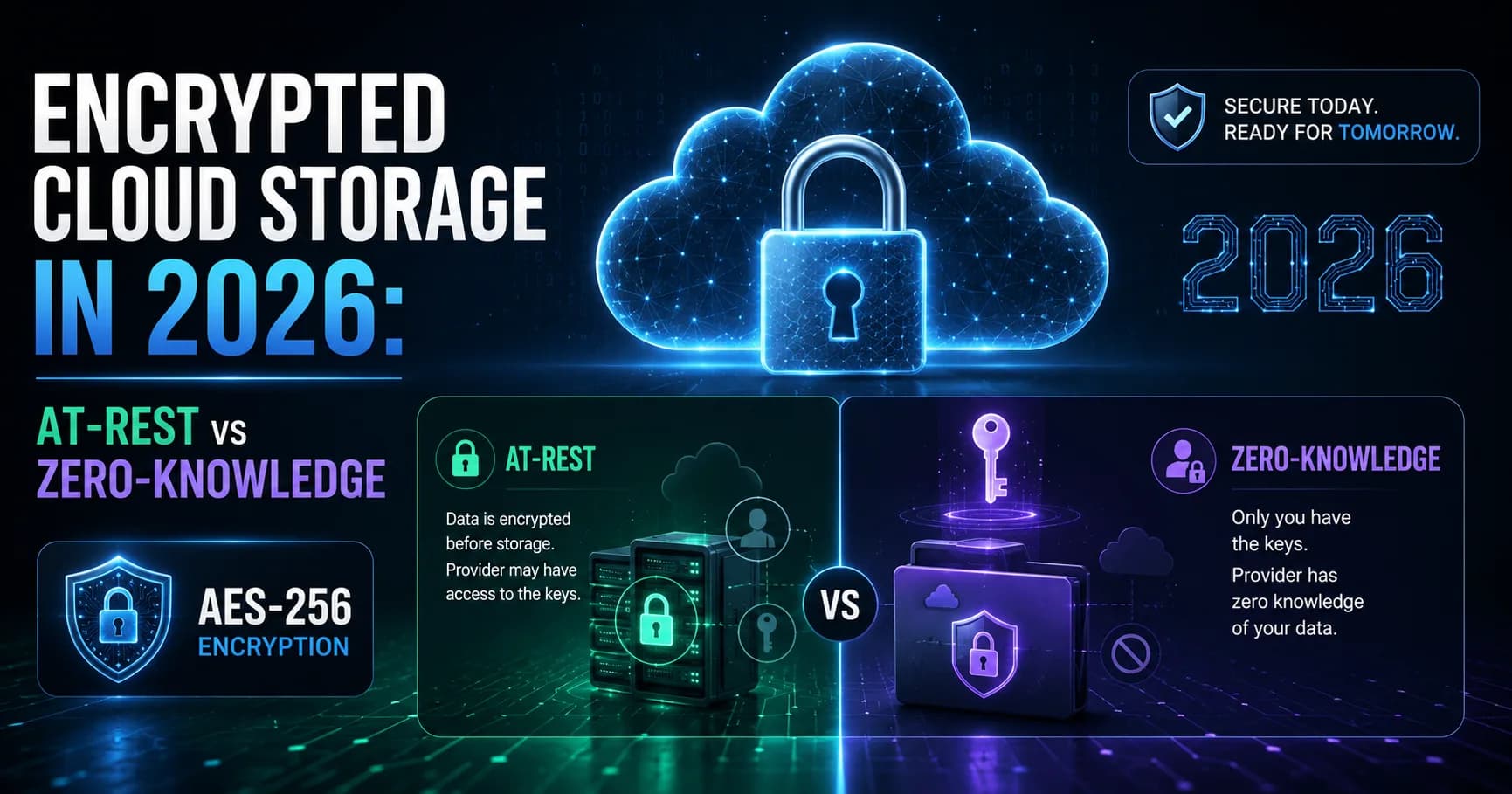
Most encrypted cloud storage providers are lying to you by omission. "AES-256 encrypted" means nothing if they also hold your keys — which most do. This guide breaks down the real distinction: at-rest encryption vs zero-knowledge, which providers actually deliver on the promise, and what to look for before trusting a service with your files.

Surya Prakash
Author
12 min read77
TL;DR: Encrypted cloud storage stores your files on remote servers with the contents scrambled by AES-256 (or equivalent), so a stolen disk or leaked backup yields ciphertext, not your data. The important distinction is who holds the keys: at-rest encryption (Google Drive, Dropbox, OneDrive) — provider holds the keys, can read your files; end-to-end / zero-knowledge encryption (Proton Drive, Tresorit, Sync.com, Mega) — only you hold the keys, the provider literally cannot read your files. Pick zero-knowledge for regulated, sensitive, or long-term archival data; pick at-rest for collaboration-heavy work where preview / search / virus scan matter. This guide explains the difference, the realistic threat model for each, and how to pick.
I have been using cloud storage for over a decade — Dropbox since 2010, Google Drive since 2013, Tresorit since 2017, Proton Drive since the beta. And the single most common mistake I see, including from people who should know better, is treating "AES-256 encrypted" as a one-size-fits-all label that means your data is safe.
It's not that simple. Two services can both honestly claim "AES-256 encryption" and offer wildly different security guarantees. The cipher is the same; the key handling is different. And the key handling is where almost every real-world cloud-storage breach happens.
This guide walks through what encrypted cloud storage actually is, the two big architectures (at-rest vs end-to-end), what each protects against, what each does NOT protect against, and how to pick a provider in 2026.
What Is Encrypted Cloud Storage?
Encrypted cloud storage is any cloud-based file storage service where your files are encrypted before being written to disk and decrypted when you (or an authorized party) access them. The encryption is almost always AES-256 — the symmetric cipher NIST standardized in 2001 and the NSA approved for top-secret data (NIST FIPS 197).
If a service says "AES-256 encryption" without telling you anything else, they're almost certainly describing encryption at rest — files are scrambled on the provider's disks but the provider holds the decryption keys. That's table stakes in 2026. What differentiates services is whether you also get end-to-end encryption (also called zero-knowledge encryption in this context).
I went deeper on the AES-256 cipher itself in AES-256 encryption explained — this article is about how providers use it. Two services can both honestly say "AES-256" while offering completely different security postures.
The Two Architectures: At-Rest vs End-to-End
This is the only distinction that matters. Once you understand it, every "encrypted cloud storage" marketing page becomes readable.
Encryption at rest (server-side encryption)
The provider encrypts your files with AES-256 on their disks. The encryption keys are stored in the provider's key-management service. When you log in, the provider decrypts your files server-side and sends them to your device over TLS.
Who holds the keys: the provider. Who can read your files: the provider (and anyone who compromises the provider's account or key infrastructure). Examples: Google Drive, Dropbox, OneDrive, iCloud, Amazon S3 (default).
This architecture is fine for most non-sensitive files. The provider needs to read your files to do useful things: serve previews, run virus scanning, build search indexes, deduplicate identical blocks across users, recover your password if you forget it. All of those features require the provider to have key access.
End-to-end / zero-knowledge encryption
Files are encrypted on your device before they ever leave it. The encryption key is derived from your password (or a passkey) using a slow KDF like Argon2 or PBKDF2 — and the key never leaves your machine. The provider stores ciphertext only. They can serve it back to you, but they cannot decrypt it.
Who holds the keys: you only (derived from your password). Who can read your files: you only. Examples: Tresorit, Proton Drive, Sync.com, Mega, Internxt, Cryptomator (overlay on Dropbox/Drive/OneDrive).
The tradeoff: features that require server-side reads break. No file preview generation (some E2EE services do client-side preview, which only works in their app). No server-side search of file contents. No web-based password recovery — if you lose your password, your files are gone. No deduplication.

Vague "AES-256 encryption" claims with no architecture diagram are mostly marketing.
What Encrypted Cloud Storage Actually Protects Against
Different architectures defend against different threats. Knowing which threat you care about is the only useful way to pick.
Threats that AT-REST encryption defeats
- Stolen physical media. Someone breaks into the data center, walks out with a hard drive — they get ciphertext, not files.
- Leaked backup tapes or misconfigured S3 buckets that get publicly indexed. Same deal — ciphertext only.
- Compromised storage subsystem without compromised key infrastructure. Rare in practice but matters for compliance.
Threats that AT-REST encryption does NOT defeat
- The provider themselves reading your files. They have the keys. Whether they would, legally or otherwise, depends on their policies and the legal jurisdiction.
- A compromised provider account or admin. If an attacker phishes a provider admin, all your customer data is decryptable.
- A government legal-process request. US law-enforcement requests to Google, Microsoft, Apple get compliance because the provider can decrypt. Same in most jurisdictions.
- Compromised provider via supply-chain attack. A malicious update to the provider's own software could exfiltrate keys.
Additional threats that END-TO-END encryption defeats
- The provider reading your files, in any of the above scenarios. The provider holds ciphertext only; the key never left your device.
- Legal-process requests against the provider. The provider can hand over your encrypted files, but they cannot decrypt them — and a court cannot compel them to produce plaintext they don't have. This is what "zero-knowledge" buys you legally.
- Compromised provider account / admin. Same logic — the admin can see encrypted blobs, not plaintext.
Threats that NO cloud encryption defeats
- A weak password. If your password is "Welcome2026", an attacker who guesses or brute-forces it derives your encryption key. AES-256 doesn't help.
- Compromised endpoint. If malware is on your laptop, it reads your files in cleartext before they're ever encrypted to upload. AES protects the wire and the cloud, not the source.
- Shoulder surfing or social engineering that gets your password / passkey out of you directly.
- Lost / forgotten password on a zero-knowledge service. Your files are mathematically unrecoverable. This is a feature, not a bug.
Which Encrypted Cloud Storage Should You Use?
Pick by threat model and use case. There's no "best" — there's a best for your specific situation.
For sensitive personal documents (tax returns, medical records, legal contracts)
Use zero-knowledge / end-to-end encrypted storage:
- Proton Drive — 5 GB free, 200 GB at $4.99/mo, bundles with Proton Mail. Strong reputation. Swiss jurisdiction.
- Tresorit — from $11.99/mo Personal. Swiss-based, heavy enterprise / compliance focus. Best-in-class audit trails.
- Sync.com — 5 GB free, 2 TB at $8/mo. Canadian, simpler UI than Tresorit. Long track record.
For regulated business data (HIPAA, PCI, GDPR-restricted)
Use end-to-end with a signed BAA / DPA:
- Tresorit Business — HIPAA-eligible with signed BAA, ISO 27001 + ISO 27018.
- Proton Drive for Business — GDPR-native, EU jurisdiction.
- Box (at-rest + KeySafe, customer-managed keys) — for organizations already in the Microsoft / SaaS ecosystem.
For collaboration-heavy work (shared docs, design files, video review)
At-rest encryption is usually correct here — you trade some security for features (real-time collaboration, preview, search):
- Google Workspace Drive — gold standard for collaborative editing in Docs/Sheets/Slides.
- Dropbox — best for design-heavy teams (Adobe integration, granular sharing).
- OneDrive — best inside the Microsoft 365 ecosystem.
For file transfer (one-off sends, not ongoing storage)
A dedicated secure file-sharing service is usually better than cloud storage for one-way transfers:
- Uploadex — AES-256-GCM at rest, TLS 1.3, password-protected share links, link expiry, download caps. Pro at $4.99/mo, free tier handles up to 2 GB per file.
- For zero-knowledge transfers specifically, Tresorit Send or Proton Drive share links — same E2EE guarantees as the storage products.
I covered the transfer side in depth in 9 Best WeTransfer Alternatives and how to send large files securely.
For self-hosting (full control, technical user)
- Cryptomator as an overlay — open-source, runs on any cloud (Drive, Dropbox, OneDrive, S3). Encrypts a vault locally; the cloud stores ciphertext only.
- Nextcloud + end-to-end encryption app — self-hosted, full control, more setup overhead.
- rclone with crypt remote — CLI workflow, for engineers comfortable scripting.
Quick Comparison: Encrypted Cloud Storage Providers in 2026
| Provider | Free | Paid (entry) | Encryption | Zero-knowledge? | Best for |
|---|---|---|---|---|---|
| Google Drive | 15 GB | $1.99/mo (100 GB) | AES-256 at rest | No | Collaboration in Workspace |
| Dropbox | 2 GB | $9.99/mo (2 TB) | AES-256 at rest | No (consumer); customer keys on Enterprise | Design teams |
| OneDrive | 5 GB | $1.99/mo (100 GB) | AES-256 at rest | No (Personal Vault adds extra protection) | Microsoft 365 users |
| iCloud Drive | 5 GB | $0.99/mo (50 GB) | AES-256 at rest; E2EE optional via Advanced Data Protection | Optional (must enable ADP) | Apple users |
| Proton Drive | 5 GB | $4.99/mo (200 GB) | E2EE / zero-knowledge | Yes | Privacy-first general use |
| Tresorit | none | $11.99/mo (1 TB) | E2EE / zero-knowledge | Yes | Regulated / business |
| Sync.com | 5 GB | $8/mo (2 TB) | E2EE / zero-knowledge | Yes | Personal sensitive docs |
| Mega | 20 GB | €4.99/mo (400 GB) | E2EE / zero-knowledge | Yes | Large free quota |
| Uploadex (file transfer, not full storage) | 50 GB / 2 GB per file | $4.99/mo (Pro) | AES-256-GCM at rest, TLS 1.3 | No (server-side); password-protected share links | Sending large files |
How to Tell If a Provider's "AES-256 Encryption" Claim Is Real
Anyone can put a lock icon on a homepage. Three things to check on any encrypted cloud storage provider:
- Mode of operation. Real claims specify AES-256-GCM (authenticated encryption, the modern default) or AES-256-CTR / AES-256-XTS for disk encryption. Vague "AES-256" with no mode is a yellow flag.
- Key management story. Where do the keys live? In a managed KMS? Wrapped by a customer master key? Derived from the user's password via Argon2? A trustworthy service has a security or trust page that walks through this. A service whose only mention of encryption is in a marketing tagline is hiding something.
- Independent audits. SOC 2 Type II, ISO 27001, ISO 27018, HIPAA BAA, GDPR Data Processing Addendum — these are real third-party verifications, not the provider's own claim. A service that lists audited frameworks has done the homework.
If you can't find the mode, the key management story, and at least one audit framework on a provider's security page, walk away.
FAQ: Encrypted Cloud Storage
What is the most secure encrypted cloud storage in 2026?
Tresorit, Proton Drive, and Sync.com are the three most-recommended zero-knowledge encrypted cloud storage providers for 2026 — meaning the provider cannot read your files even if compelled to. For Apple users, iCloud Advanced Data Protection (enabled manually in Settings) is also zero-knowledge for most file types. For consumer Google Drive / Dropbox / OneDrive, the provider can read your files.
Is Google Drive encrypted?
Yes — but at-rest, not end-to-end. Google Drive uses AES-256 encryption at rest and TLS in transit. Google holds the encryption keys, which means Google can technically read your files (and is legally compelled to in response to valid law-enforcement requests). For zero-knowledge encryption on top of Google Drive, use Cryptomator as an overlay or migrate to Proton Drive / Tresorit.
What is the difference between encryption at rest and end-to-end encryption?
At rest: the provider encrypts your files on disk but holds the decryption keys themselves. They can read your files if needed. End-to-end (zero-knowledge): files are encrypted on your device before upload using keys derived from your password — the provider never has the keys and cannot read your files. End-to-end is stronger; at-rest is more feature-flexible.
Is iCloud end-to-end encrypted?
Partially. By default, iCloud uses at-rest encryption with Apple holding the keys. Apple's Advanced Data Protection feature (introduced 2022, available globally as of 2024) extends end-to-end encryption to most iCloud data including iCloud Drive, Photos, Notes, and Backup — but you must manually enable it in Settings → Apple ID → iCloud → Advanced Data Protection. Without ADP, iCloud is at-rest only.
Can the cloud provider read my encrypted files?
If the encryption is at rest only: yes, the provider holds the keys and can decrypt your files. If the encryption is end-to-end / zero-knowledge: no, the provider holds only ciphertext and cannot decrypt. Check the provider's security page for "zero-knowledge" or "the provider cannot read your files" language — if it's absent, assume at-rest only.
Is encrypted cloud storage HIPAA compliant?
It can be, but encryption alone is not enough. HIPAA compliance requires a signed Business Associate Agreement (BAA) with the provider, plus appropriate access controls, audit logs, and breach-response procedures. Encrypted cloud storage providers that offer HIPAA-eligible BAAs include Tresorit, Box, Google Workspace (with BAA), Microsoft 365 (with BAA), and AWS S3. Consumer Dropbox, consumer Google Drive, and Proton Drive (personal) do not sign BAAs.
What happens if I lose my password on zero-knowledge cloud storage?
Your files are mathematically unrecoverable. There is no "forgot password" reset because the provider does not have your encryption key — only you do, and it's derived from your password. This is the strongest form of data ownership but also the strongest form of self-foot-gun. Always store the zero-knowledge password in a password manager (separate from the account it locks) and consider exporting a recovery key if the provider offers one.
Summing Up!
Encrypted cloud storage is a spectrum, not a binary. At-rest encryption (Google Drive, Dropbox, OneDrive) protects against the most common threats — stolen hardware, leaked backups, careless permissions — but the provider can read your files. End-to-end / zero-knowledge (Proton Drive, Tresorit, Sync.com) extends that to "even the provider cannot read your files" — at the cost of preview, search, and password recovery.
The right answer depends on your data and your threat model:
- Most personal files: at-rest is fine; collaboration features matter more than zero-knowledge.
- Regulated, sensitive, or contractual data: zero-knowledge or at-rest with a signed BAA.
- Files you want to send to someone, not store long-term: use a dedicated secure file-share like Uploadex with password-protected links rather than full cloud storage.
For the encryption fundamentals — what AES-256 actually protects against, how key management works, why the mode of operation matters — see my deep-dive on AES-256 encryption. For the file-transfer side, 9 Best WeTransfer Alternatives and how to send large files securely walk through the everyday workflow.
Sources:
- NIST FIPS 197 — Advanced Encryption Standard
- Apple Advanced Data Protection for iCloud
- Proton Drive security architecture
- Tresorit security whitepaper